
Turning On Your App Embed in ShopifyUpdated 4 months ago
Purpose: This guide walks you through enabling the LyveCom embed feature on your Shopify theme.
Intended Audience: Ecommerce Managers, Developers, CSMs
Turning On Your App Embed in Shopify
Step 1: Open Your Current Theme
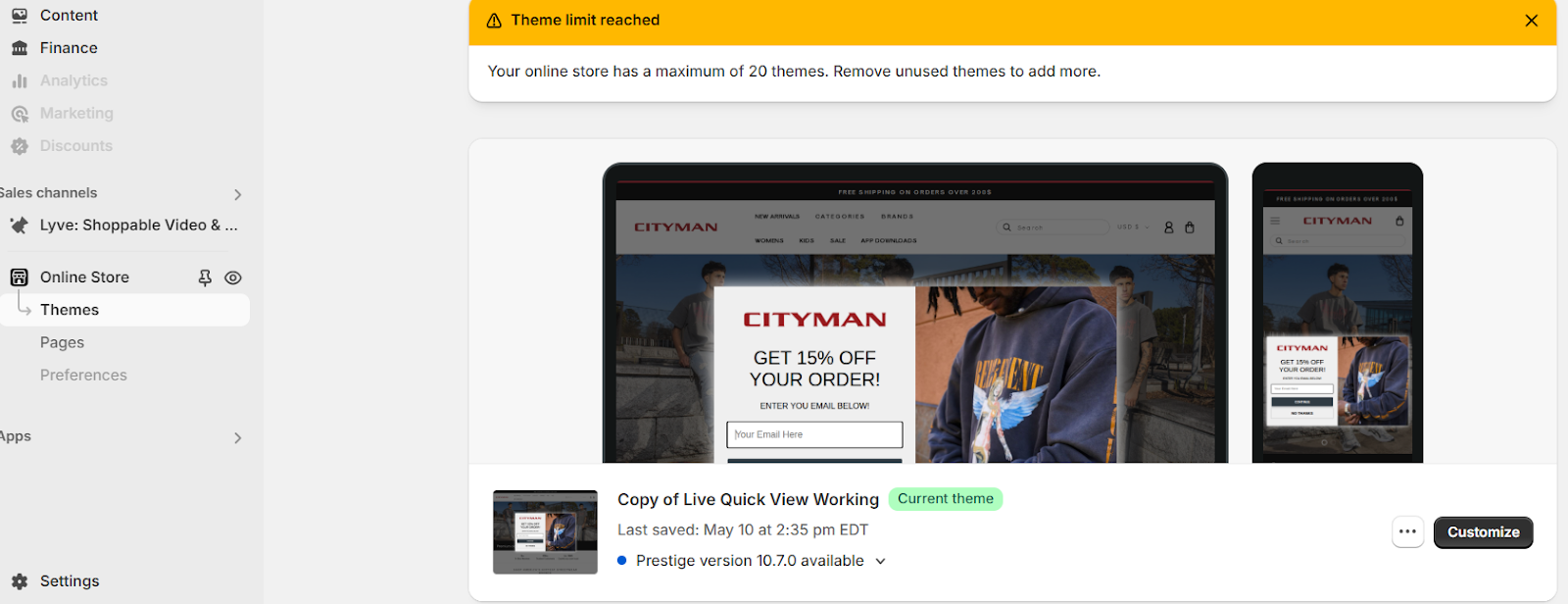
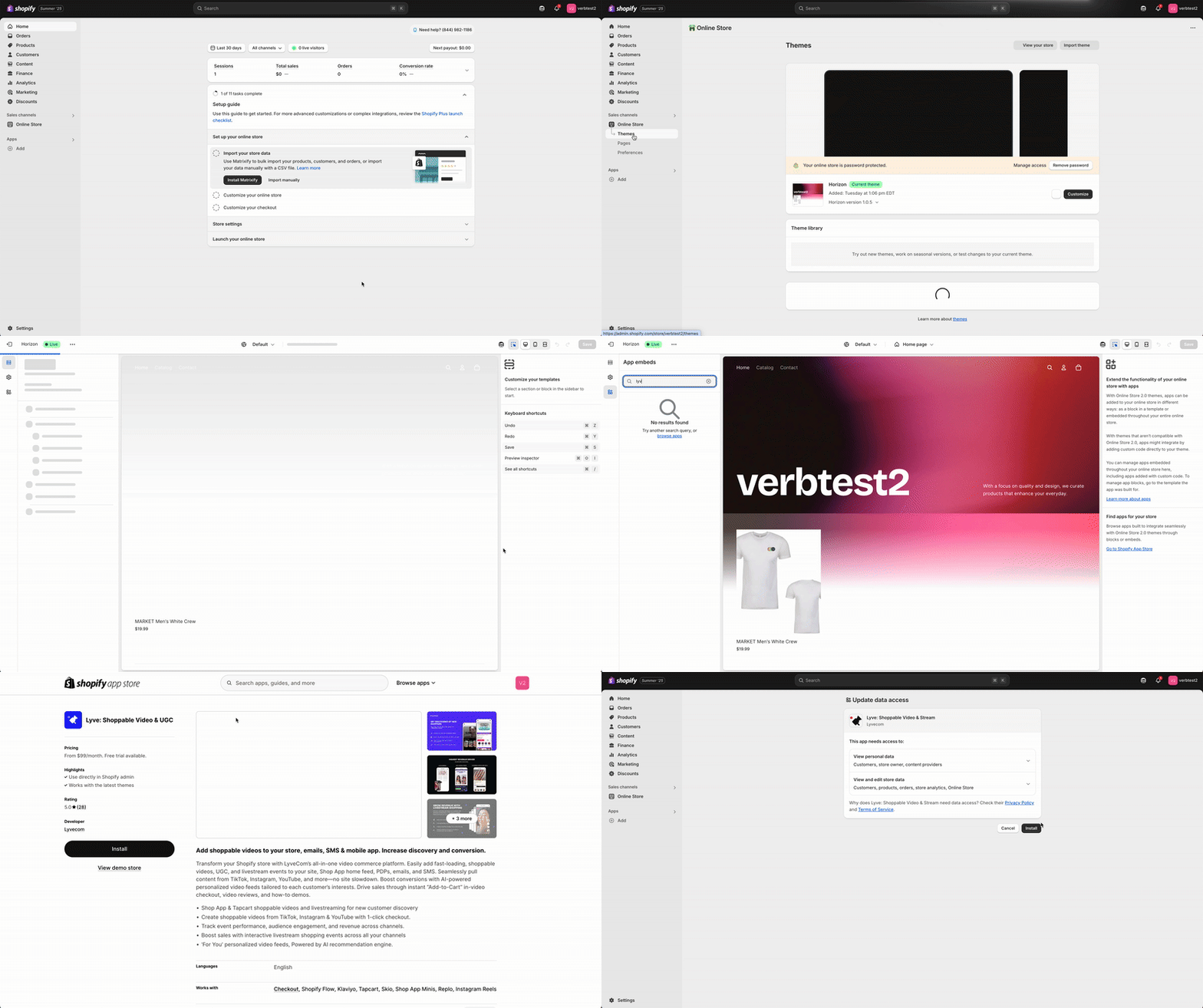
In your Shopify Admin, go to Online Store > Themes.
Click Customize on your current live theme.
Step 2: Enable the App Embed
In the left-hand panel, click on App Embeds.
Find LyveCom Embed in the list.
Toggle the switch to ON.
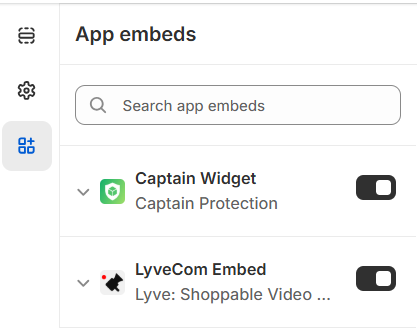
✅ The LyveCom embed is now activated and ready to display shoppable content on your storefront.
Next step: Customize your look –– learn how to set your Brand Kit: Set Up Your Brand Kit
Have more questions? Reach out to our support team - we’re happy to help!
Happy streaming!