
Upgrading Your LyveCom PlanUpdated 4 months ago
Platform: LyveCom
Audience: Sellers & Creators
Topic: How to Upgrade Your LyveCom Plan
Upgrading Your LyveCom Plan
Need more impressions, uploads, or livestreams? You can easily upgrade your LyveCom plan right from your dashboard!
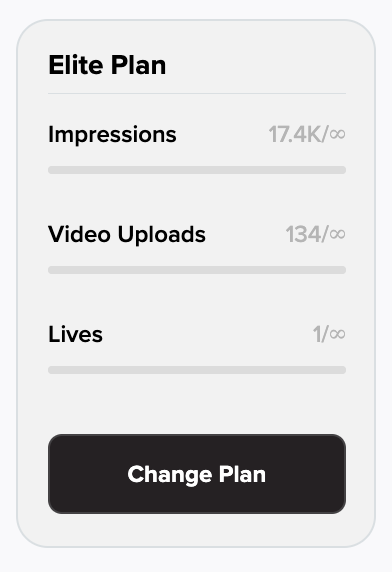
Where to Find Your Current Plan
Log into your LyveCom dashboard.
Look in the bottom left-hand corner—you’ll see your current subscription info and usage details (Impressions, Video Uploads, Lives).
How to Upgrade
Click the Change Plan button in the bottom left corner of your dashboard.
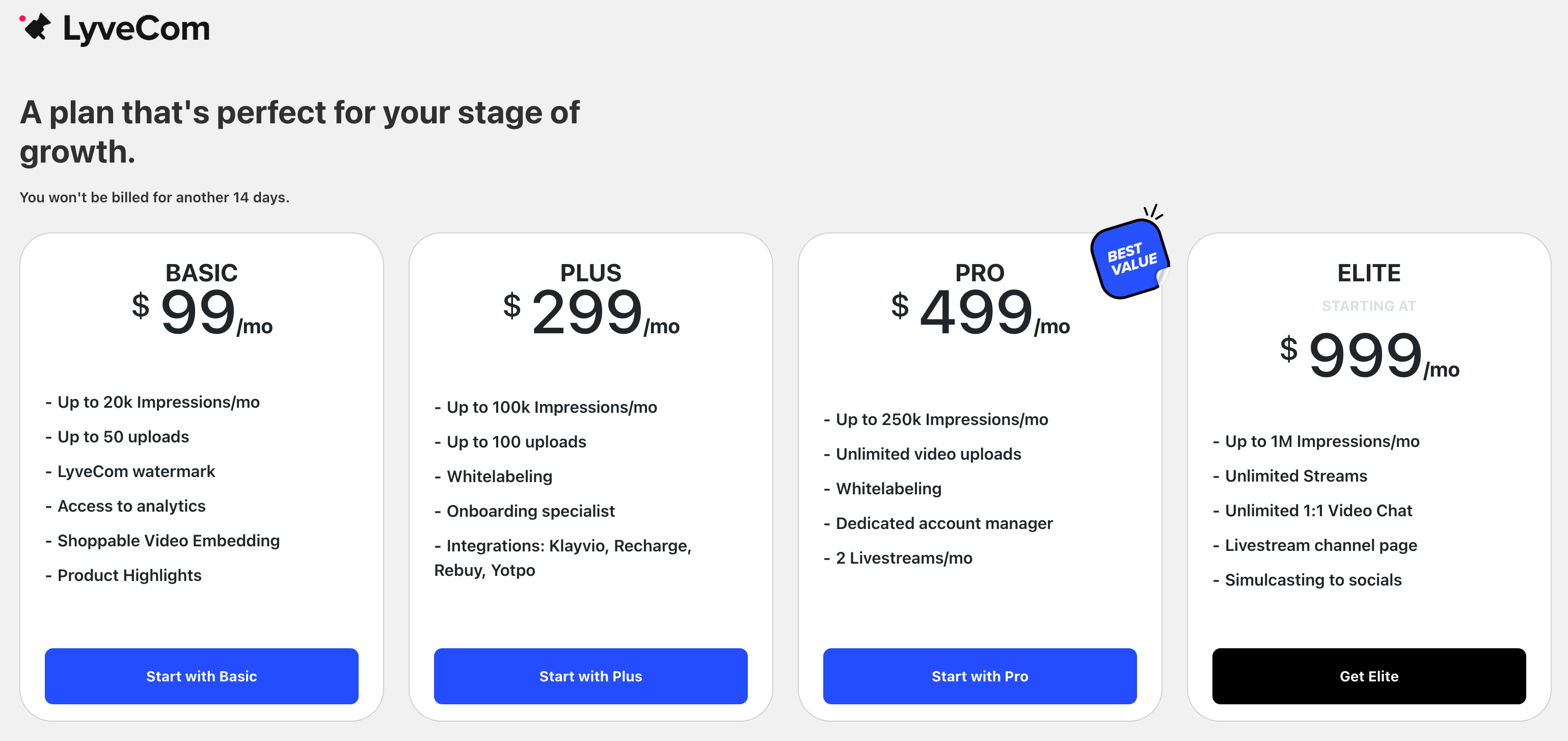
You’ll be taken to a page where you can view and select from our available subscription tiers.
LyveCom Subscription Options
Here’s a quick breakdown of what each plan unlocks:
Plus Plan or higher:
✅ Access to Shopify Integrations and more tools for growthPro Plan or higher:
✅ Includes 2 livestreams/month
✅ Unlimited video uploadsElite Plan:
✅ Unlimited livestreams
✅ Simulcast to all your socials for maximum reach
Choose the plan that best fits your streaming goals!
Next up: Once you're in the plan you want, you can get started with Shoppable Video here!
Have more questions? Reach out to our support team - we’re happy to help!
Happy selling! ✨