
Teams and WorkspaceUpdated 4 months ago
Purpose: This guide walks you through how to invite team members to your LyveCom workspace.
Note: This feature is available on Plus plans and above.
Intended Audience: Ecommerce Managers, Admins, Marketing Teams
Inviting Team Members to Your Workspace
Step 1: Access Workspace Settings
Log in to your LyveCom dashboard
Go to Settings > Workspace
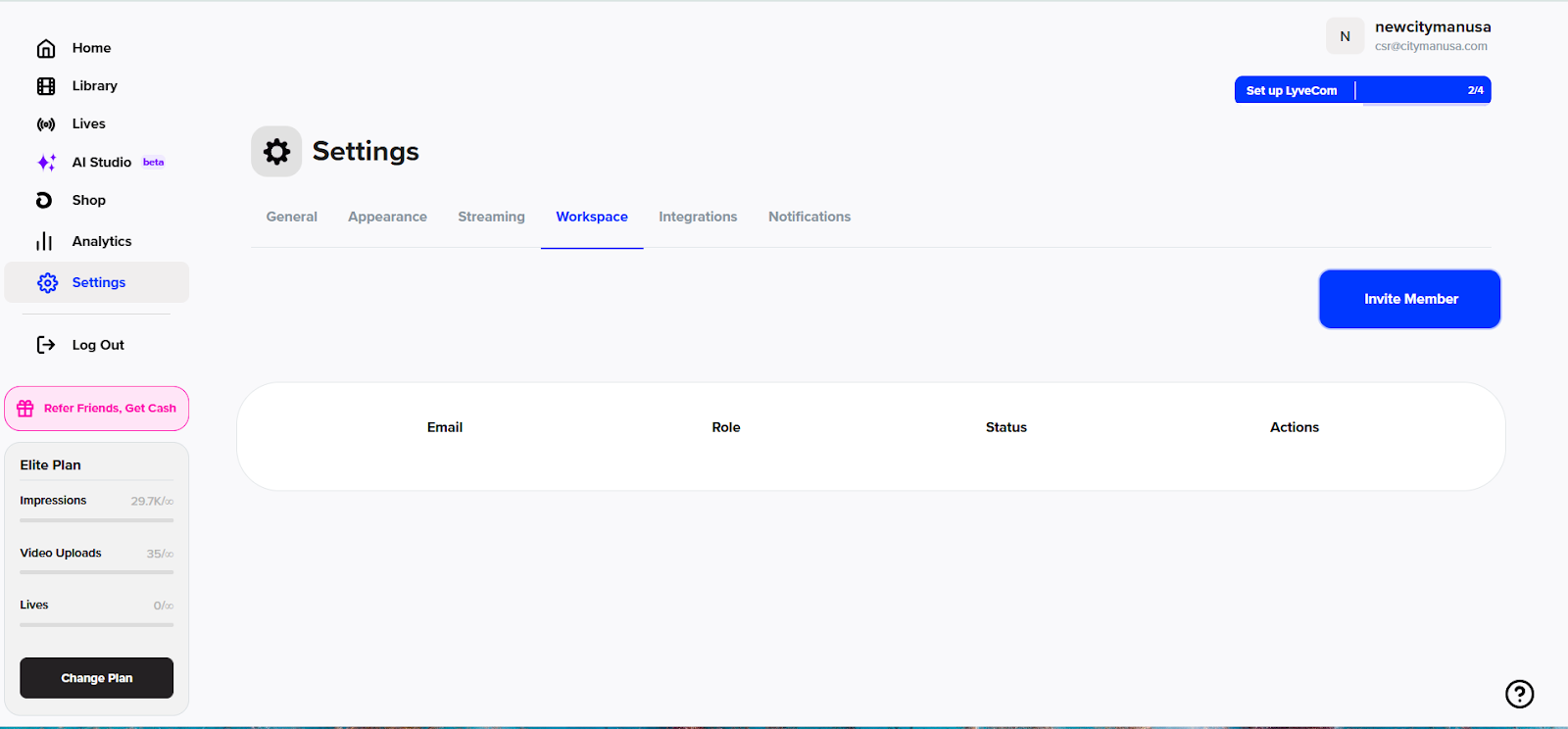
Step 2: Invite a Team Member
Click Invite Member
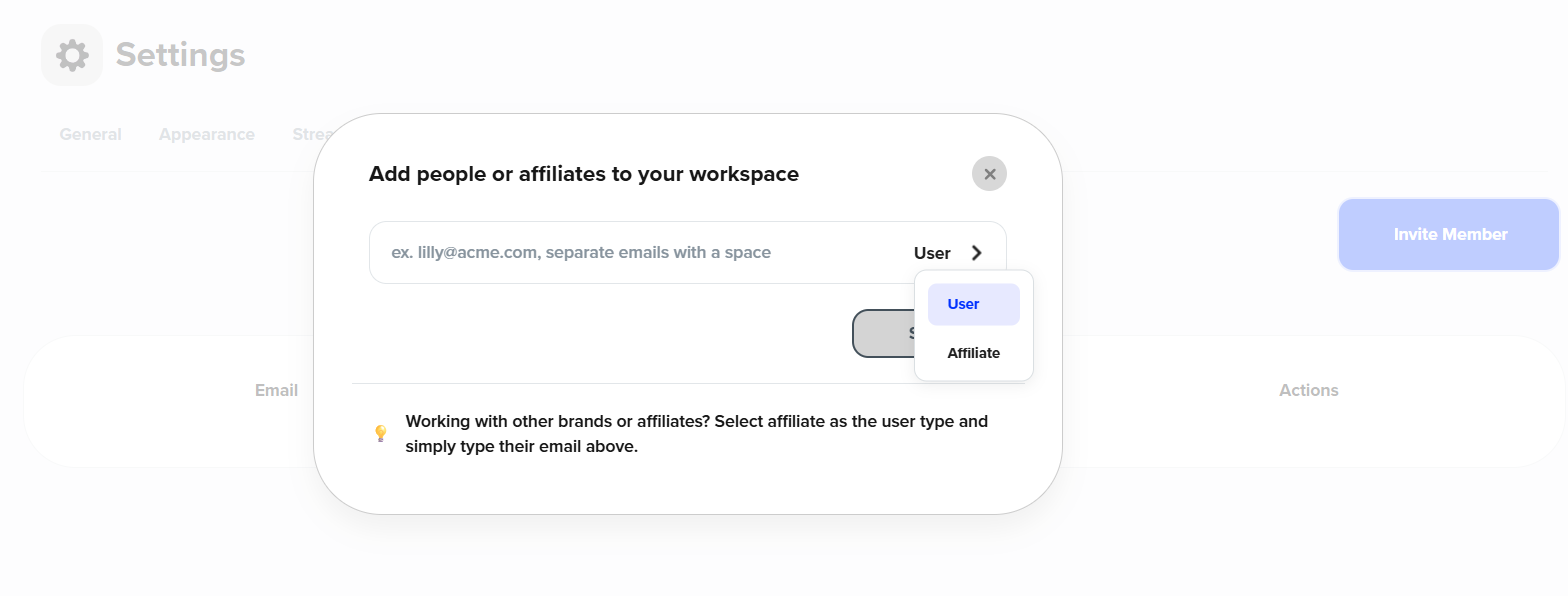
Step 3: Enter Details
Type in their email address
Choose their role:
User – someone within your organization
Affiliate – a collaborator or partner outside your core team
🎉 Your teammate will receive an email invitation to join your LyveCom workspace!
Next up: Add the Lyve widget to your Shopify storefront: How to Add the Widget to Your Shopify Storefront
Have more questions? Reach out to our support team - we’re happy to help!
Happy streaming!