
Tapcart Integration OverviewUpdated 4 months ago
Intended Audience: Mobile App Managers, Ecommerce Marketers
Purpose: This guide shows you how to integrate Lyvecom with Tapcart to power livestream shopping and shoppable video experiences inside your mobile app—boosting engagement, revenue, and retention.
📲 How to Integrate Lyvecom with Tapcart
Before You Begin
Make sure the following are in place:
You have an active Lyvecom seller account
Your Tapcart mobile app is live or in development
Your Shopify store is connected to both Lyvecom and Tapcart
Step-by-Step: Set Up the Integration
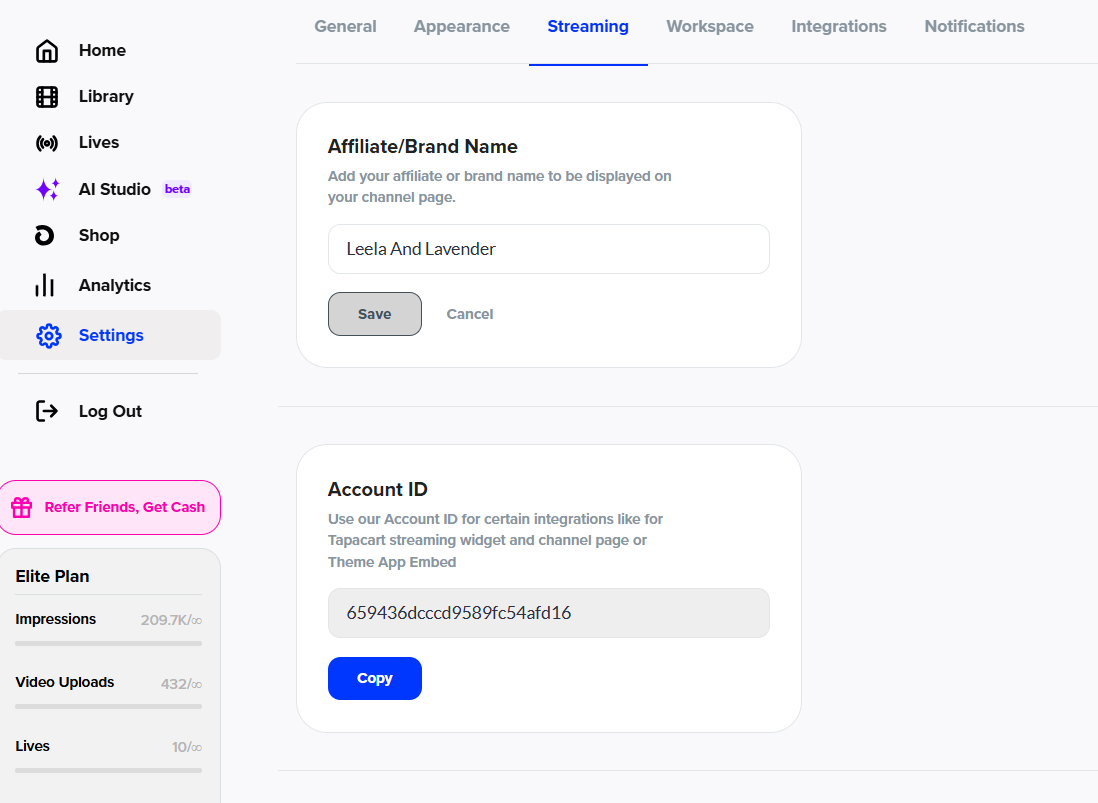
1. Copy Your Lyvecom Account ID
Log into your Lyvecom dashboard
Go to Settings > Streaming
Copy your Account ID
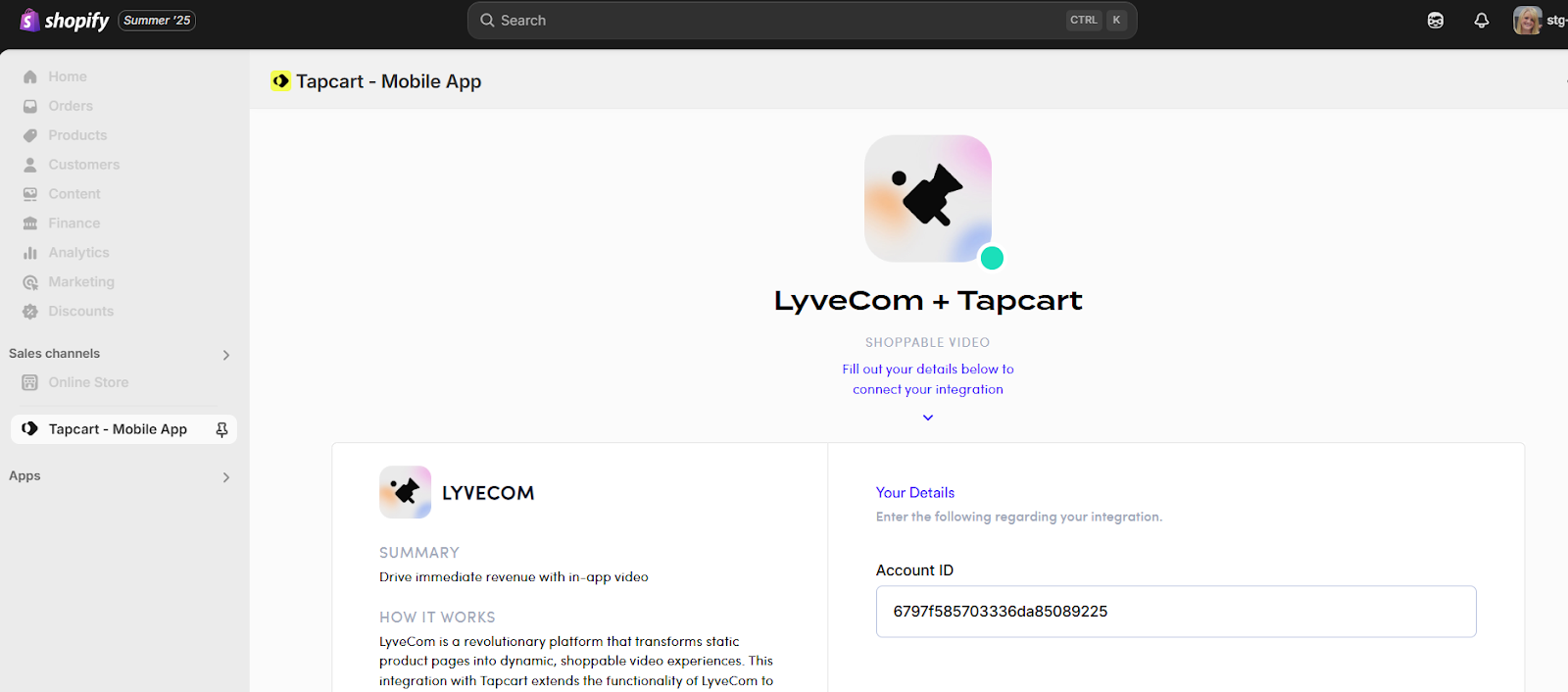
2. Connect Lyvecom Inside Tapcart
Log into your Tapcart dashboard
Go to Integrations
Paste your Lyvecom Account ID to verify the connection
Use Cases: Driving Revenue with Lyvecom + Tapcart
1. App-Exclusive Live Drops
Stream exclusive product drops inside your mobile app
Promote via social, but make the stream in-app only
Use Tapcart push notifications like:
“We’re live! App-only flash sale starts now!”
2. Build RSVP Pages + Send Push Reminders
Let users RSVP in-app or via email/SMS
Use Tapcart to send automated push reminders:
1 hour before
At event start
For last-chance viewing
After the stream, send a replay notification
3. Host VIP-Only Shopping Events
Use Tapcart segments to target VIPs or loyalty members
Offer early access or private livestreams
Track event-driven purchases via Shopify + Lyvecom
Reward VIPs with app-only offers or gifts
4. Create Data-Driven Growth Loops
Use Tapcart analytics to track in-app livestream views
Combine with Lyvecom insights to spot top products
Layer in zero-party data (quizzes, checkout tags) to personalize future livestream offers
Engage your best customers, reward loyalty, and grow revenue—all through livestream content they can watch and shop from anywhere.
Have more questions? Reach out to our support team - we’re happy to help!
Happy selling! ✨