
Powering Livestream Success with Tapcart + LyveComUpdated 4 months ago
Intended Audience: Mobile App Managers, Ecommerce Marketers
Purpose: This guide shows how to integrate LyveCom with Tapcart to turn your mobile app into a high-converting livestream shopping hub. Use shoppable videos and live events to deepen engagement, drive revenue, and boost retention—all inside your app.
Why Use Tapcart for Livestreaming?
Combining LyveCom’s interactive video commerce with Tapcart’s mobile-first experience lets you:
Stream shoppable videos right inside your app
Send push notifications that drive real-time traffic to your live events
Boost conversion through live chat, RSVP flows, and exclusive offers
Turn live events into automated growth loops based on Tapcart + LyveCom data
This is livestreaming optimized for mobile—from first tap to final checkout.
Before You Begin
Make sure you have:
An active LyveCom seller account
A Tapcart mobile app (live or in development)
Your Shopify store connected to both Tapcart and LyveCom
Step-by-Step: Set Up the Integration
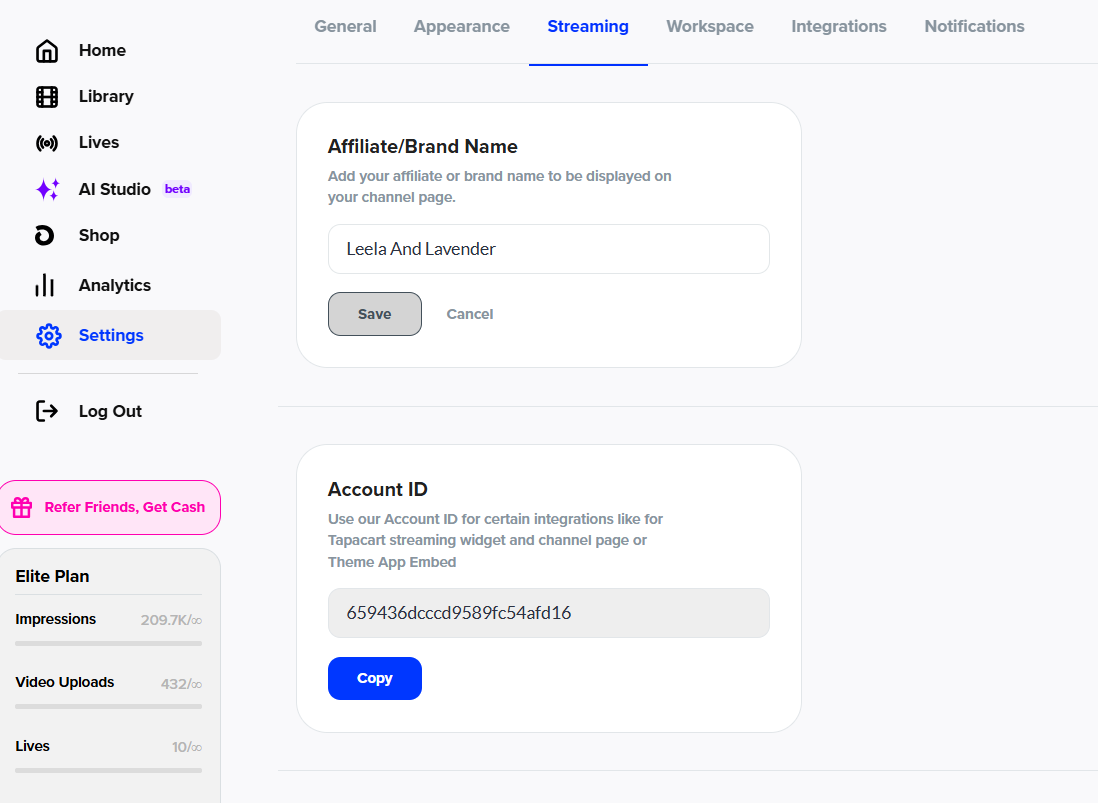
1. Copy Your LyveCom Account ID
Log into your LyveCom dashboard
Go to Settings > Streaming
Copy your Account ID
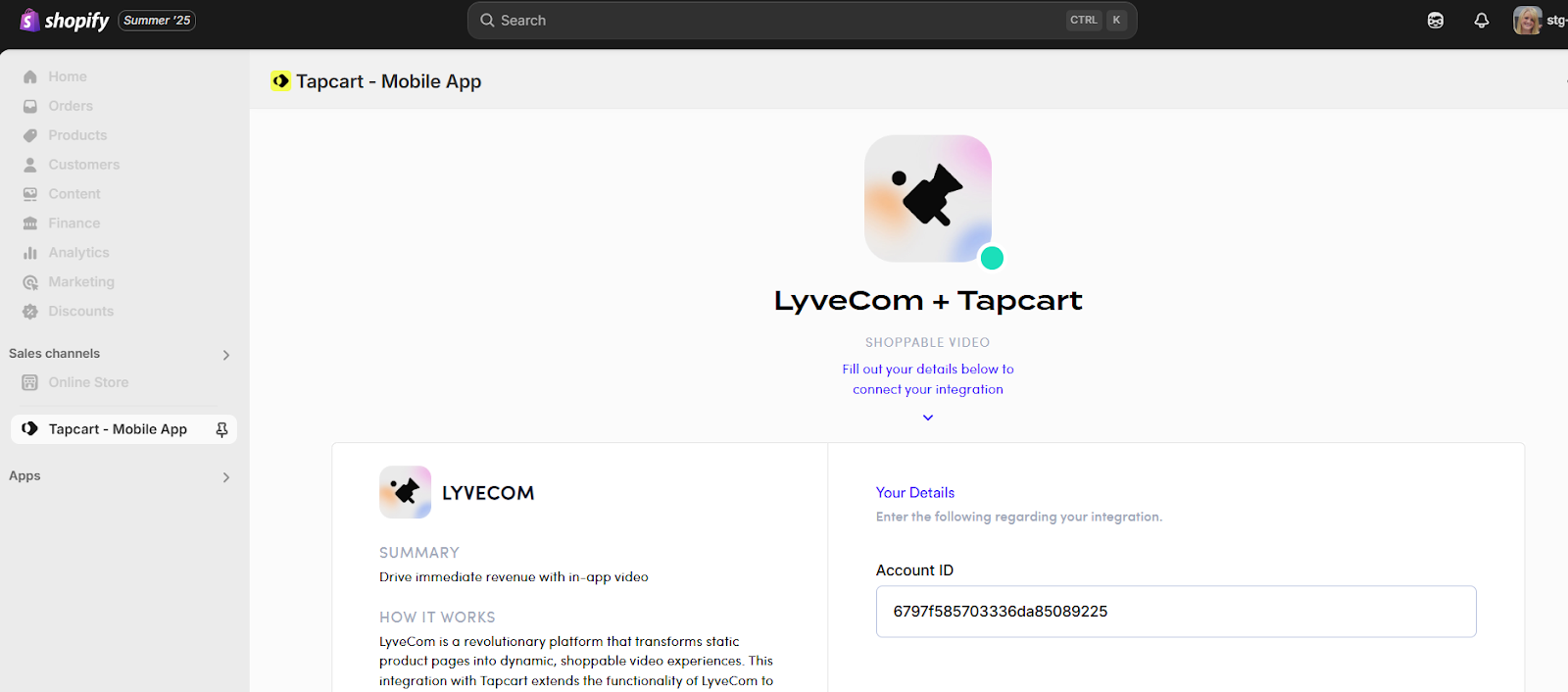
2. Connect LyveCom Inside Tapcart
Log into your Tapcart dashboard
Go to Integrations
Paste your LyveCom Account ID to verify the connection
Use Cases: Winning with LyveCom + Tapcart
1. App-Exclusive Livestream Drops
Stream live events only available in your mobile app
Use Tapcart push notifications like:
“We’re live! Tap now to access our app-only flash sale!”
Build FOMO and app engagement while driving purchases
2. RSVP + Push Reminder Campaigns
Let users RSVP to upcoming livestreams
Send push reminders:
1 hour before
At event start
Final call to replay
Drive repeat attendance with post-event replays
3. VIP-Only Shopping Experiences
Use Tapcart segments to target loyalty members
Offer early access or invite-only livestreams
Reward VIPs with app-only bundles, discounts, or gifts
Track purchases using LyveCom + Shopify
4. Create Feedback Loops That Scale
Combine Tapcart analytics + LyveCom insights
See what videos, products, and CTAs convert
Use checkout tags, quizzes, and RSVPs to personalize future livestreams
Continuously optimize based on data—right inside your mobile app
Final Tips for Success
Promote livestreams via social, email, and SMS, but keep viewing app-exclusive
Turn livestreams into replays for on-demand views
Incentivize app use with exclusive offers and early drops
Have more questions? Reach out to our support team - we’re happy to help!
Happy selling! ✨