
Klaviyo SegmentationUpdated 4 months ago
Intended Audience: Marketers, Email Managers
Purpose: This guide shows you how to find the LyveCom Channel Page Subscribers to utilize in your SMS and email marketing
Login to Klaviyo
Go to Audience -> Lists & Segments
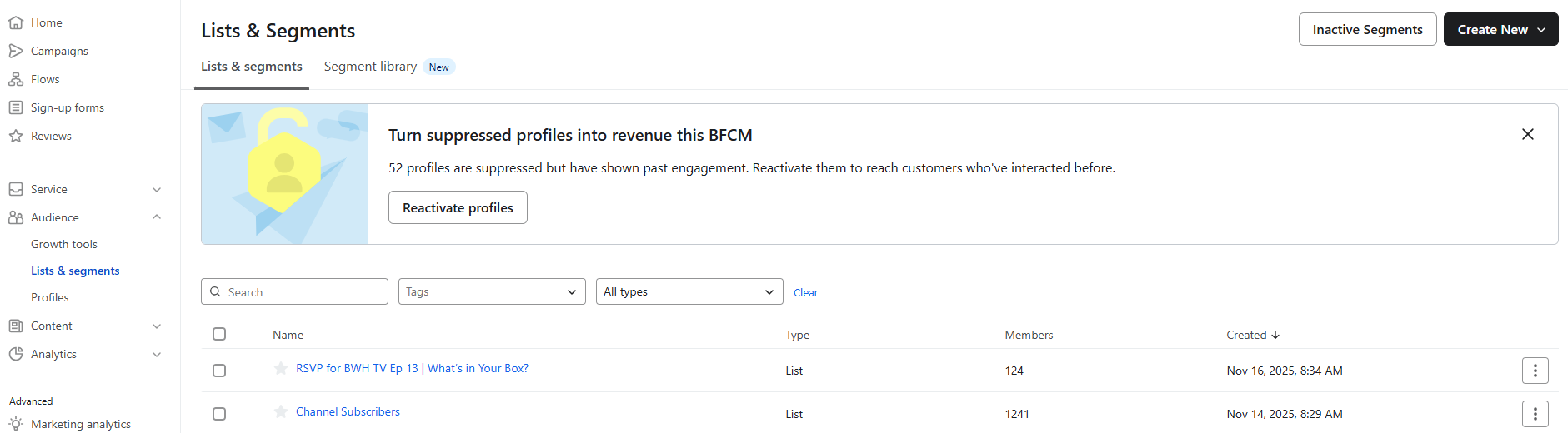
Your LyveCom Channel Page Subscribers will be under Channel Page (Do not ever change this name. It will affect the link to your channel page)
You event RSVPs will be under the RSVP for "Name of event"
You can now add those lists to any SMS or email marketing campaigns!
Final Notes
Always test your email preview before sending.
For optimal performance, keep
.giffile sizes as small as possible while maintaining quality.
Have more questions? Reach out to our support team - we’re happy to help!
Happy selling! ✨