
How to Install the LyveCom Checkout Extension on Your Thank You PageUpdated 4 months ago
Platform: LyveCom
Audience: Shopify Sellers
Topic: How to Install the LyveCom Checkout Extension
Add Shoppable Video to Your Shopify Thank You Page
The LyveCom Checkout Extension allows you to feature engaging, shoppable video content directly on your Shopify Thank You page—keeping customers connected to your store even after checkout.
Before You Begin
Make sure you have the following ready:
✅ The LyveCom app installed on your Shopify store
✅ App embeds enabled in your Shopify theme
✅ A carousel already created in your LyveCom dashboard
✅ Either:
Your Carousel ID from LyveCom, or
The URL of the page where your carousel is embedded (recommended)
🛠How to Install the Extension
Log into your Shopify account
Go to Online Store → Customize
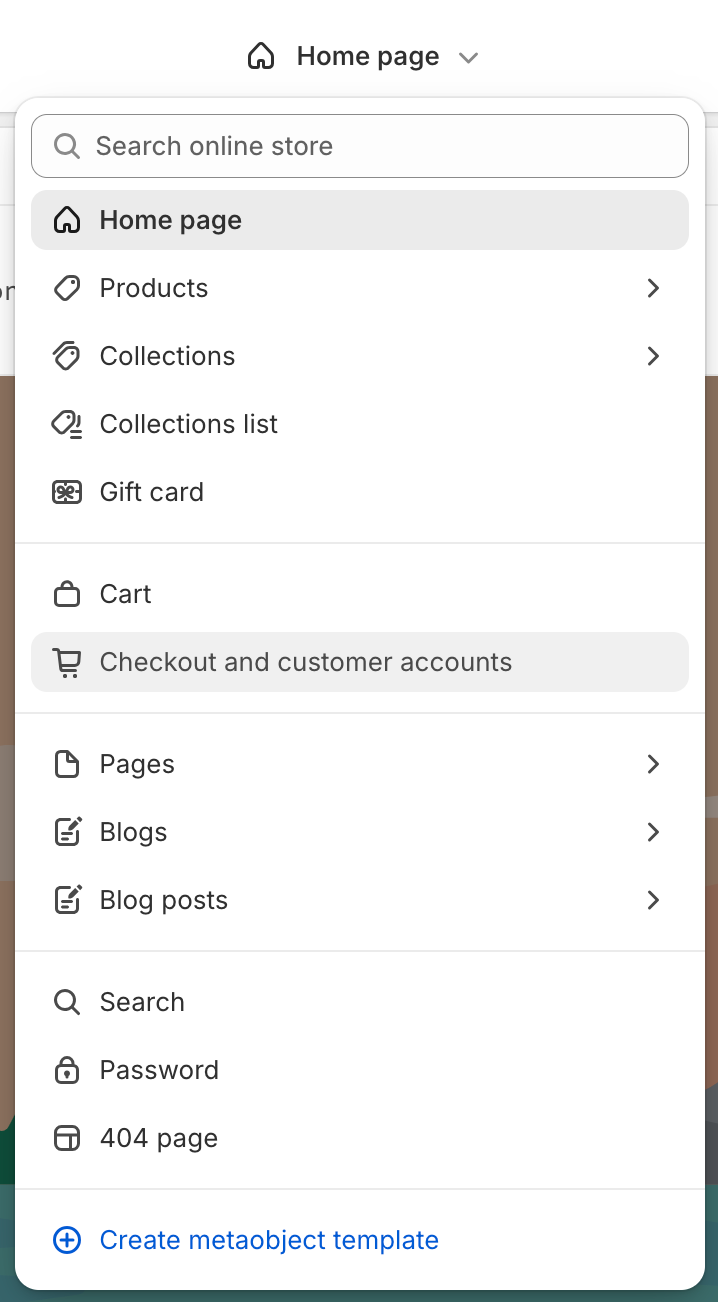
In the theme editor dropdown, select Checkout and customer accounts
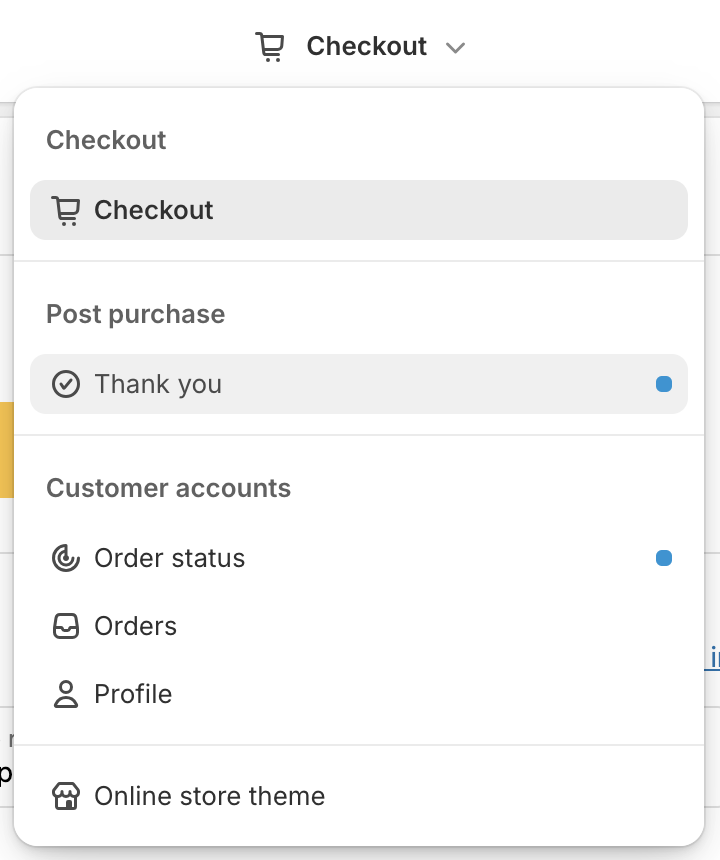
Once in the Checkout menu, click Checkout → Thank You Page
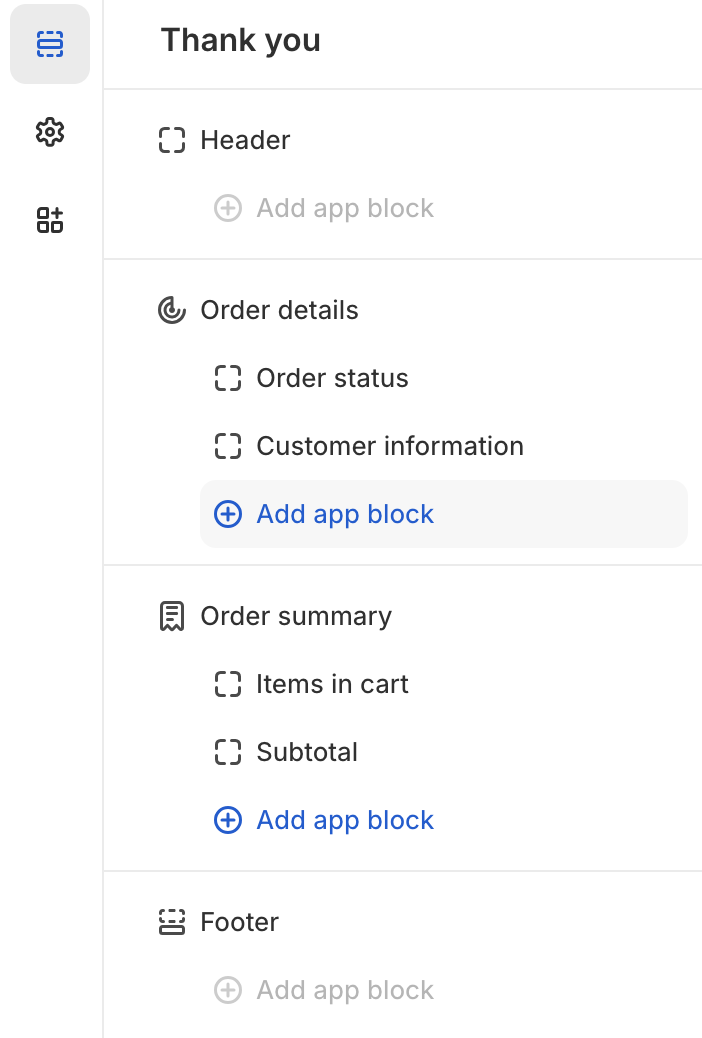
In the left panel, click Add App Block
Select LyveCom Video Feed to add the extension
Edit the default text fields (e.g., headers, offer messages)
(Optional) Add a Shopify-hosted image URL to show an image
Under Carousel Settings, choose:
Paste Carousel ID (generic view)
Paste Page URL (recommended – displays on your storefront)
Why Use a Page URL?
Using a Page URL keeps customers on your store, maintaining a branded, seamless experience.
Carousel IDs may open a generic page that's less familiar or engaging.
Save & Test
Once your block is set up:
Click Save in the theme editor
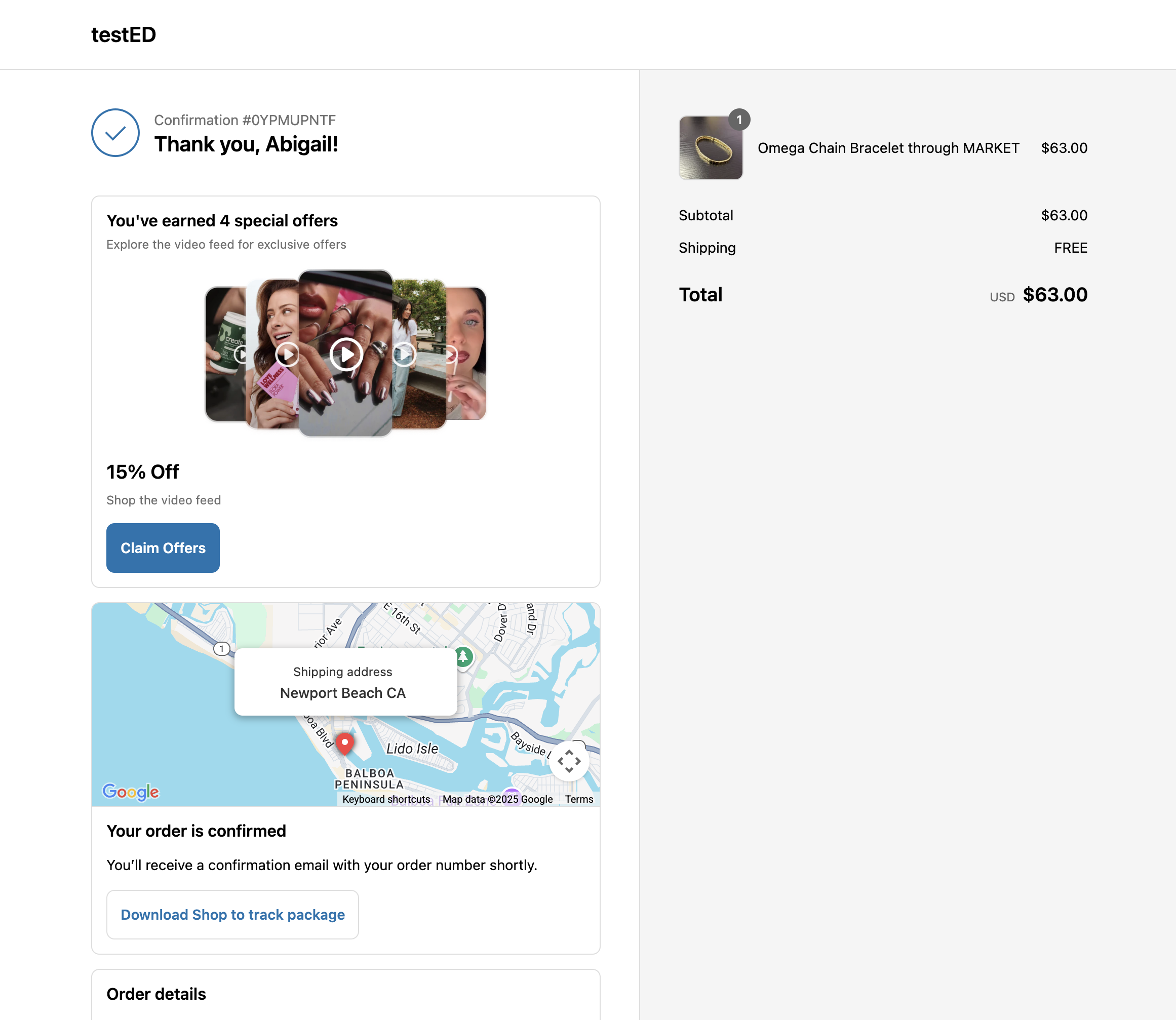
Run a test order to preview the Thank You page
Click Claim Offers to ensure it links to the right carousel
Tips for Success
Create a dedicated carousel for post-purchase offers
Keep messaging short, clear, and aligned with the purchased products
Track clicks to measure engagement and conversions
Have more questions? Reach out to our support team - we’re happy to help!
Happy selling!