
How to Add a Floating Founder Welcome Video to Your StoreUpdated 4 months ago
Purpose: To help merchants personalize their storefront by embedding a floating founder or announcement video that greets visitors and builds immediate trust.
Audience: DTC brands, founders, and ecommerce managers who want to create a personal shopping experience and make their site feel more human and engaging.
How to Add a Floating Founder Welcome Video to Your Store
Give your site a personal touch by greeting shoppers with a floating video—perfect for founder intros, promos, or announcements.
What You’ll Need:
A published video in your LyveCom Library
Access to your Shopify theme code (Theme.liquid)
Step-by-Step Instructions
1. Create a Playlist for Your Welcome Video
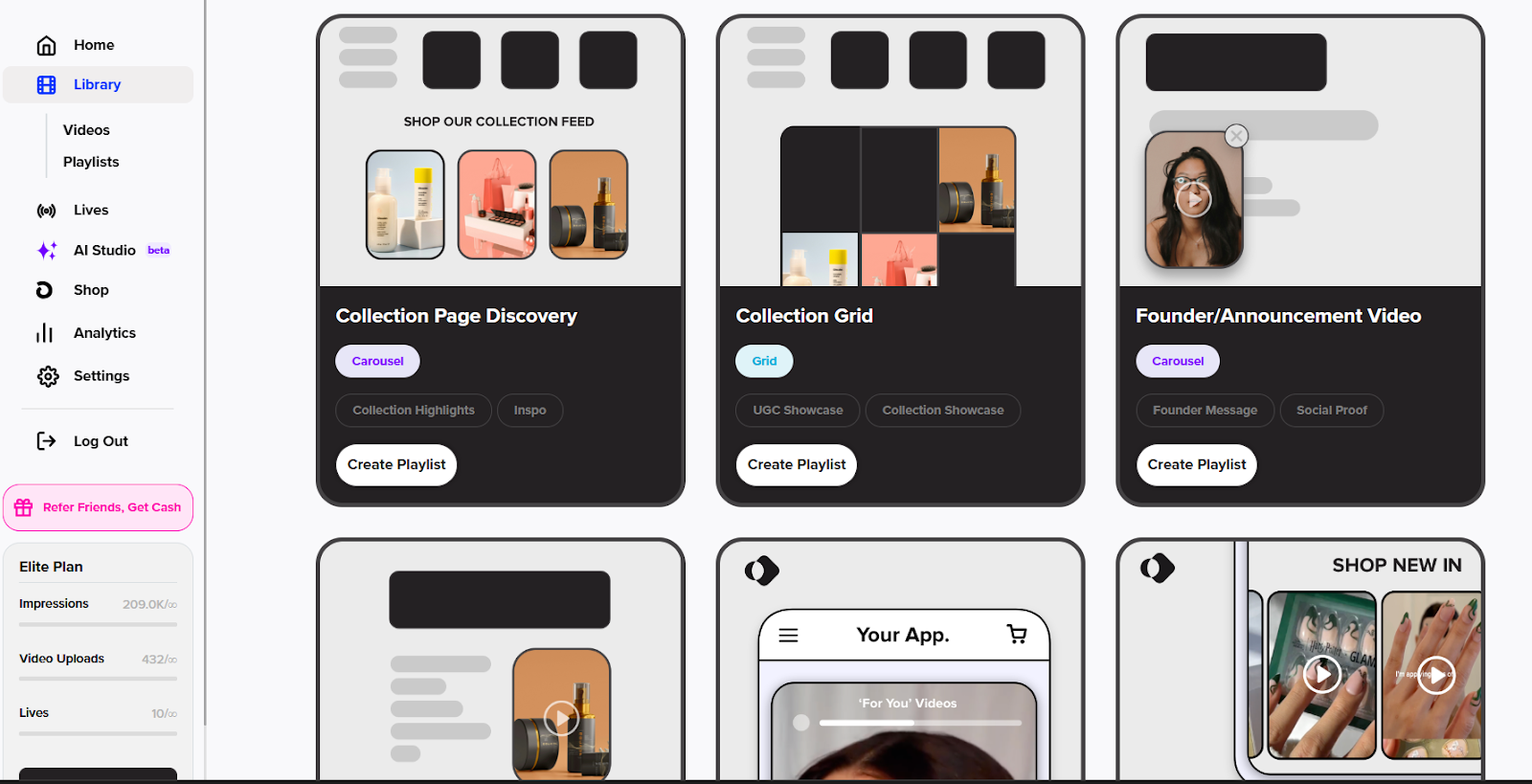
Go to Library → Playlists
Click Create New Playlist

Choose Founder/Announcement Video as the type
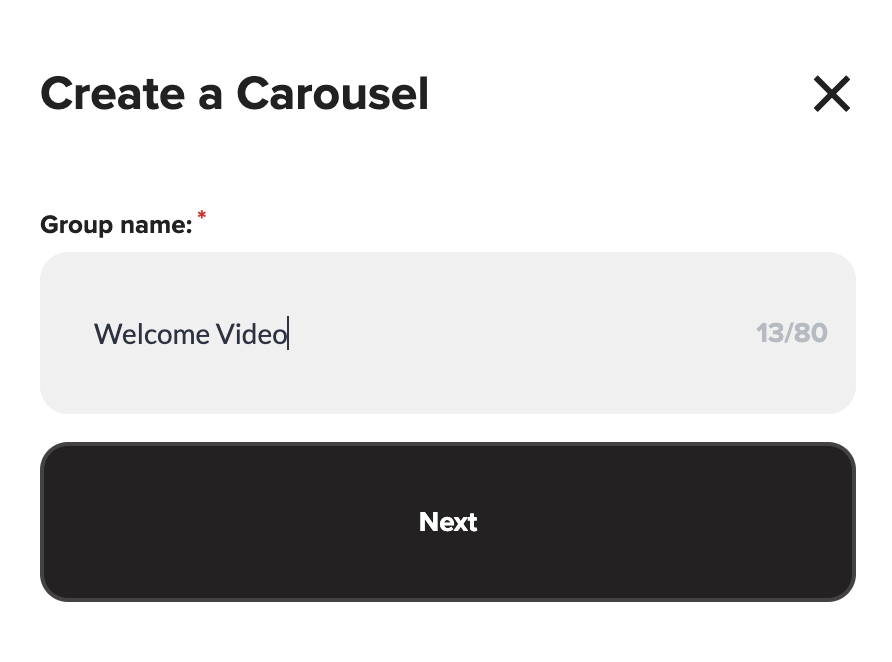
Name your playlist (e.g. "Welcome Video")
2. Select and Publish Your Video
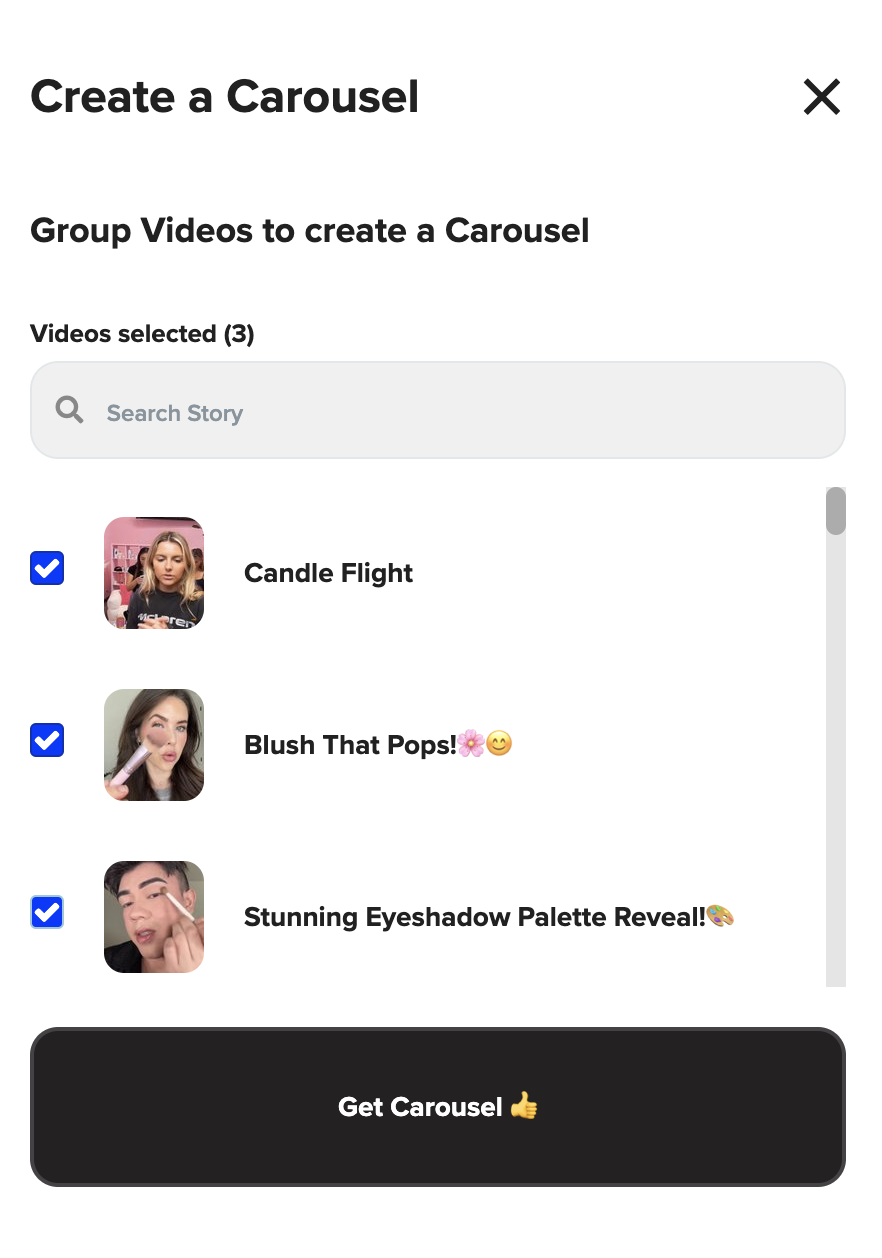
Choose the video you want to feature
Click Get Carousel
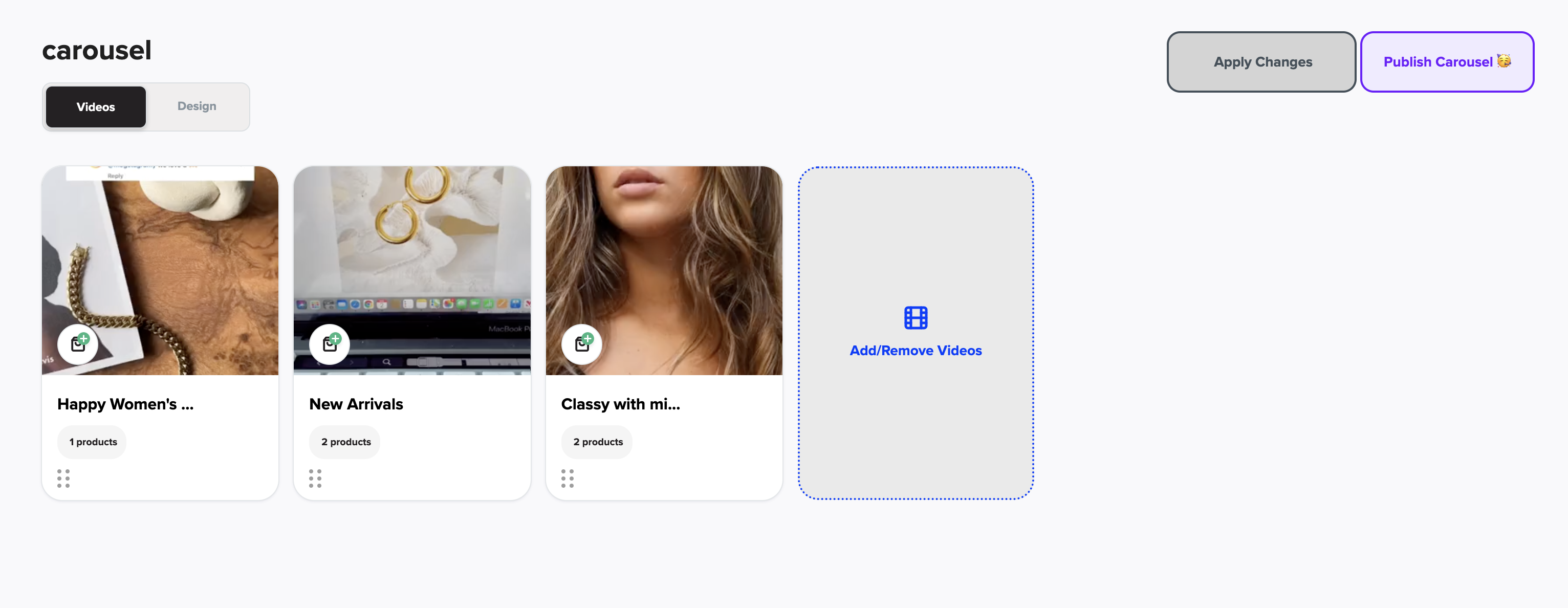
Then click Publish Carousel
3. Enable the Floating Widget
Navigate to Floating Widget in LyveCom
Click Copy Code (this is the embed script for your video)
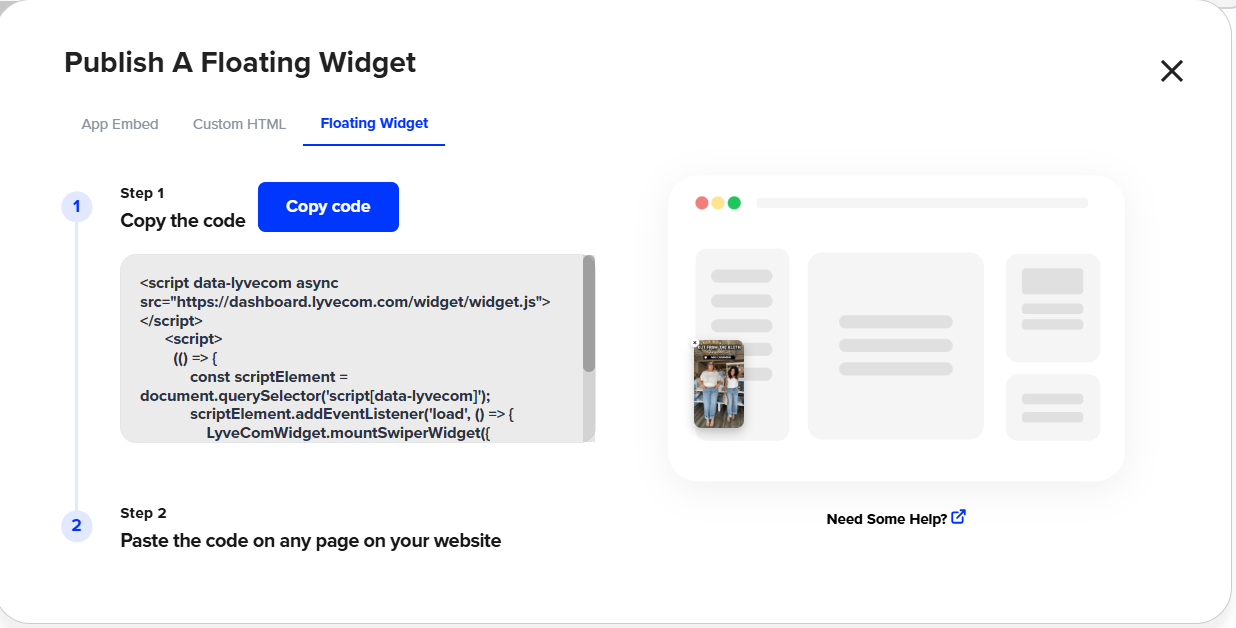
4. Add the Code to Your Shopify Theme
Go to Shopify → Online Store → Themes → Edit Code
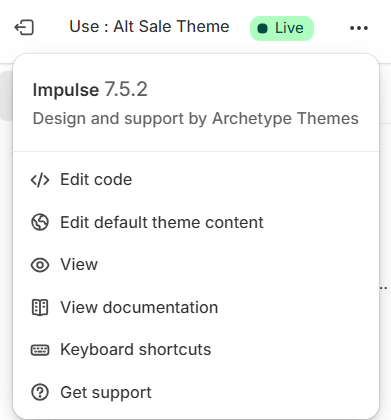
Open theme.liquid
Scroll to the bottom and paste the code just above
</body>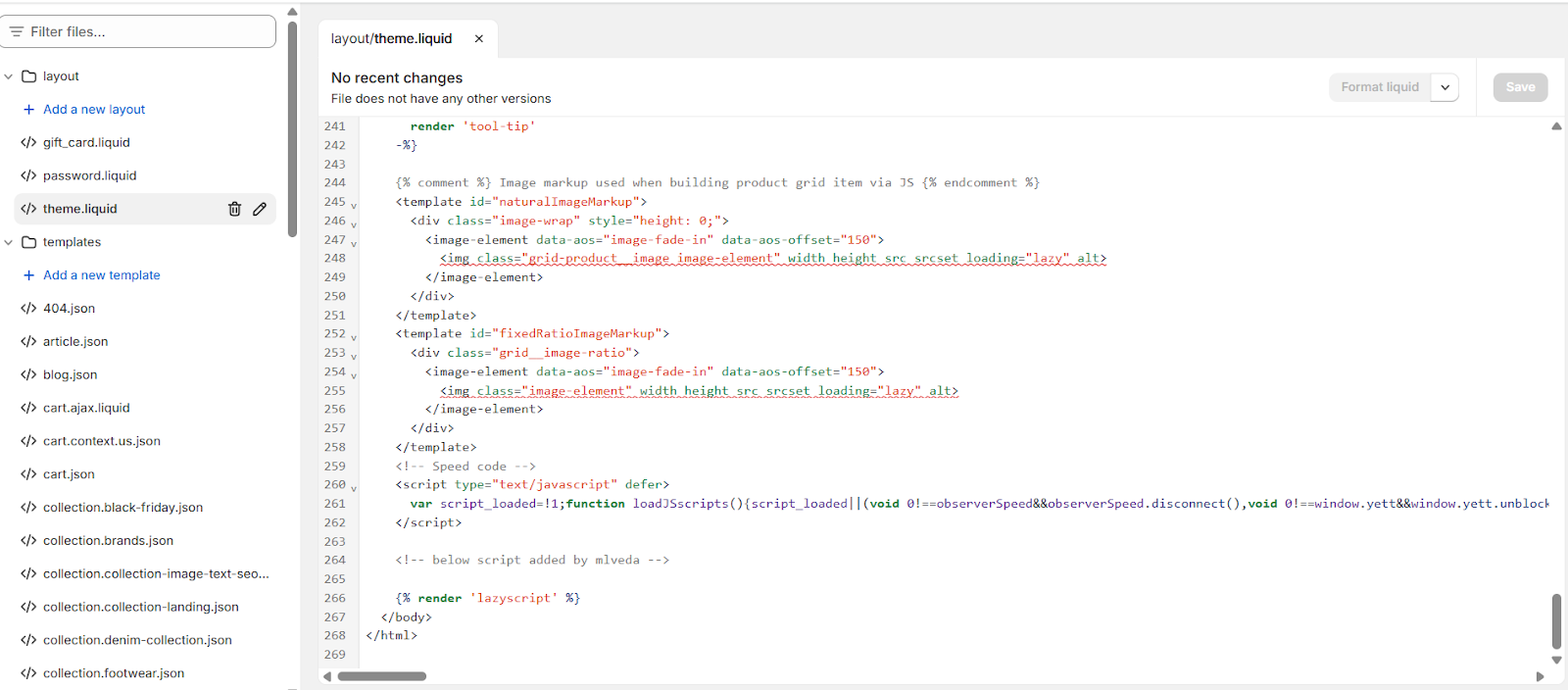
Click Save
Pro Tip:
Want to test the placement? Paste the code, preview the site, and adjust if needed before publishing live.
Now you’re ready to welcome every visitor with a personal video touch—building trust and boosting conversions from the very first click.
Have more questions? Reach out to our support team - we’re happy to help!
Happy selling! ✨