
Highlighting Multiple Products on Your StoriesUpdated 4 months ago
Platform: Lyvecom
Intended Audience: Ecommerce Managers, Content Creators, Shopify Merchants
Tagging Products in Your Shoppable Video
Tagging products in your Lyvecom Story Campaign helps drive discovery and conversion. Here's how to create and publish a shoppable video with tagged products.
Best Practice:
We recommend tagging no more than 3 products per story to keep the experience clear and focused for your customers.
Step 1: Create a New Story Campaign
From your Stories tab, click New Playlist → Video to begin creating your campaign.
Step 2: Tag Products
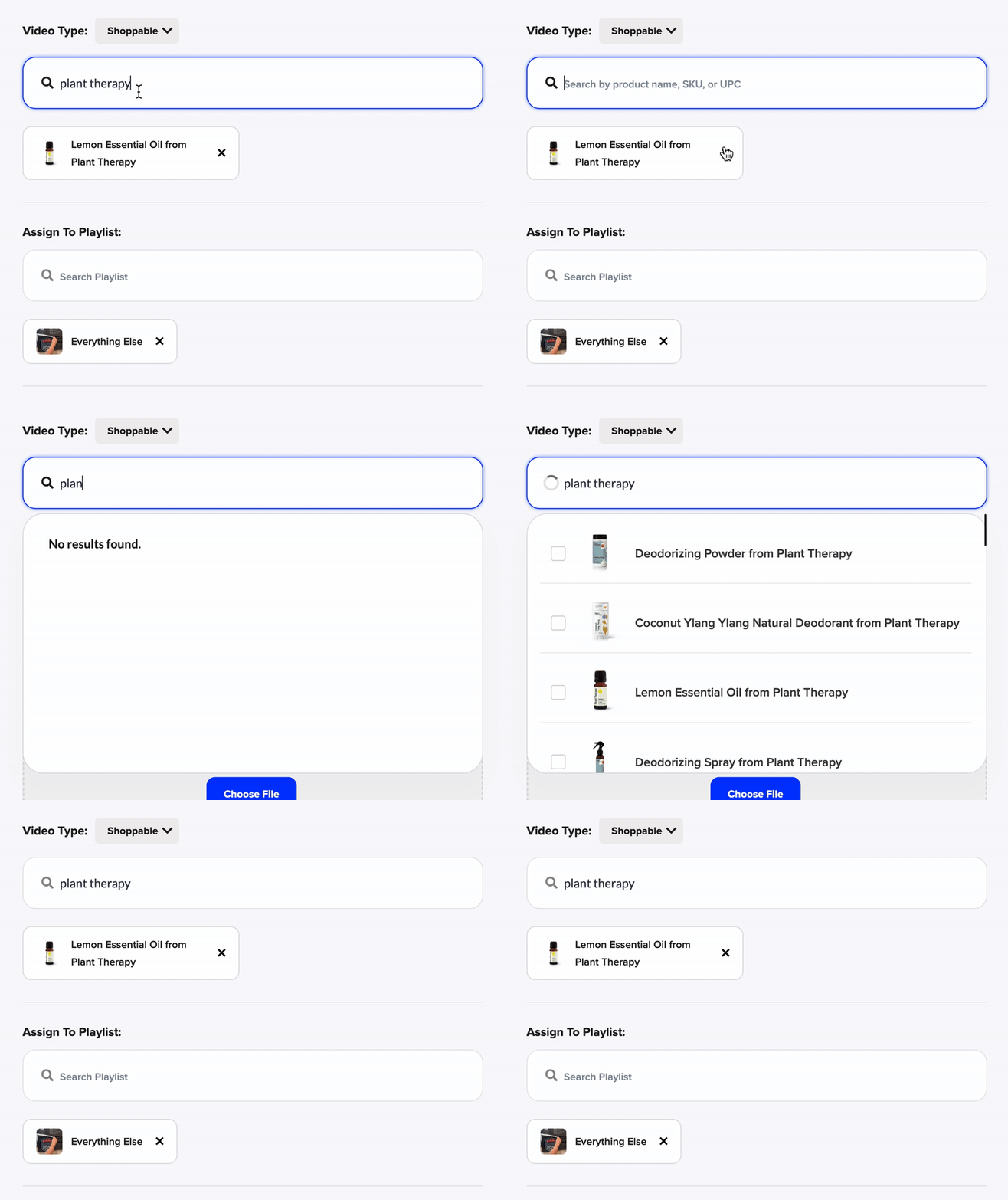
Use the search bar to find products from your synced catalog.
Tag up to three relevant products for optimal performance.
Step 3: Publish Your Campaign
Once your story is ready and products are tagged, click Publish.
Step 4: Embed the Widget
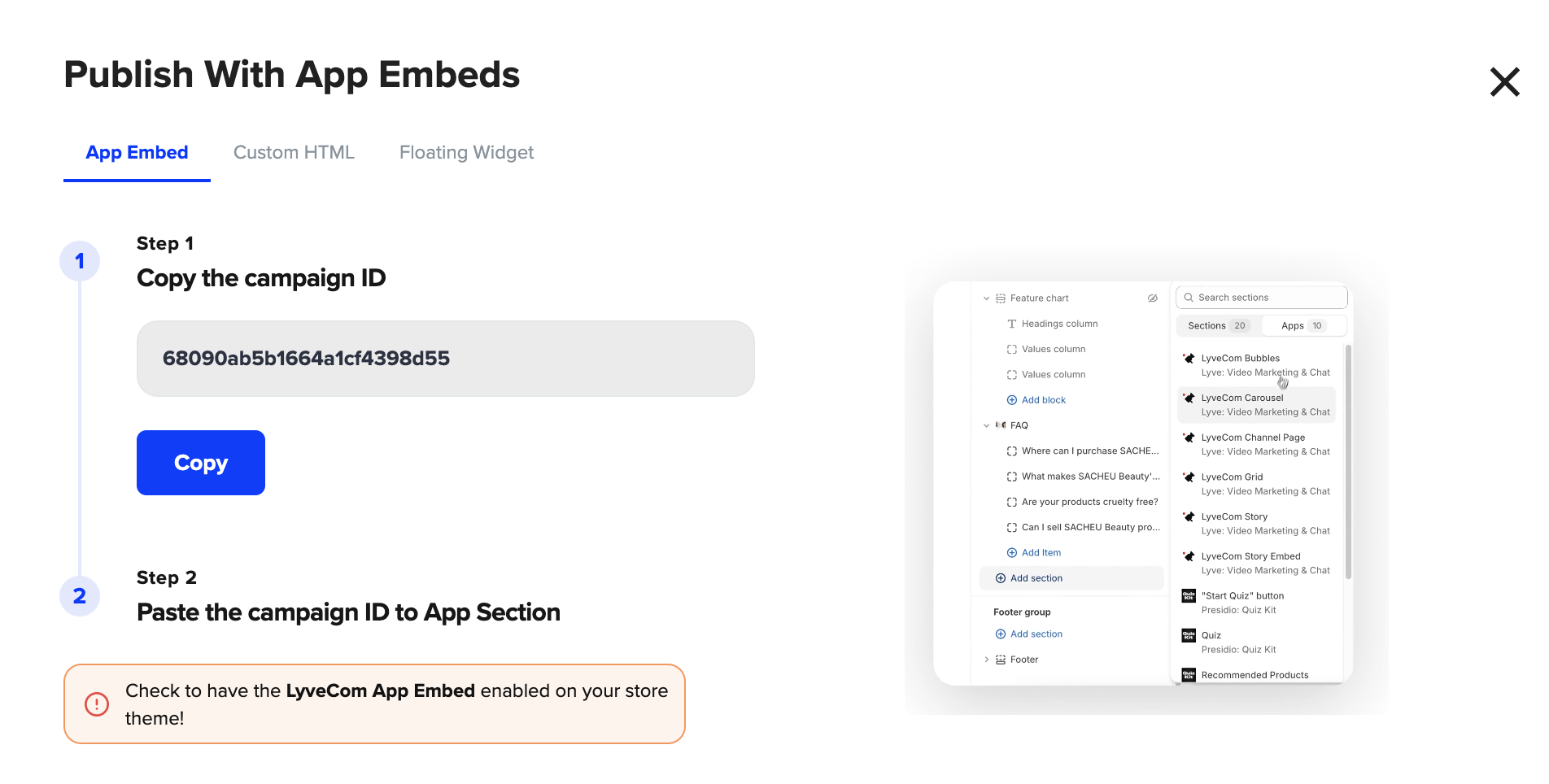
After publishing, grab the embed code.
Embed the shoppable video widget on any page of your site—home page, product page, landing page, or blog post.
Once embedded, your customers can seamlessly watch and shop—creating a frictionless, engaging experience.
Have more questions? Reach out to our support team - we’re happy to help!
Happy selling! ✨