
Creating Your First Bubbles PlaylistUpdated 4 months ago
Purpose: This article walks you through how to create shoppable video Bubbles and customize their appearance.
Intended Audience: Marketing Managers, Content Managers
Creating Shoppable Bubbles
Highlight key product moments and brand stories with circular, clickable videos.
What are Bubbles?
Bubbles are circular shoppable videos that can be embedded on your site—perfect for showcasing tutorials, product features, or UGC right where customers are shopping.
- Once created, Bubbles can be embedded anywhere on your site.
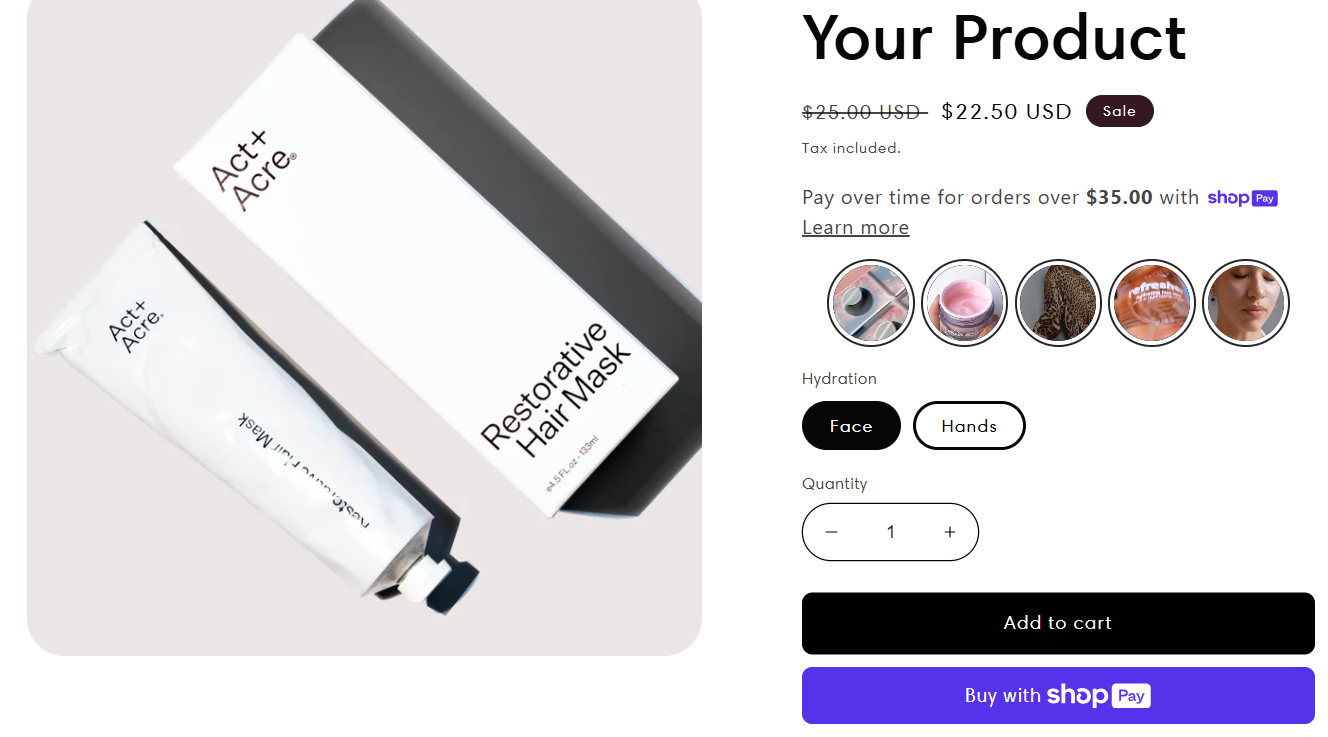
How to Create Bubbles
- Log In to Your Seller Account
Go to your LyveCom dashboard and make sure you're signed in. - Navigate to New Playlist
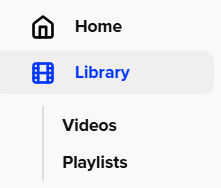
Go to Library > Playlists > New Playlist.

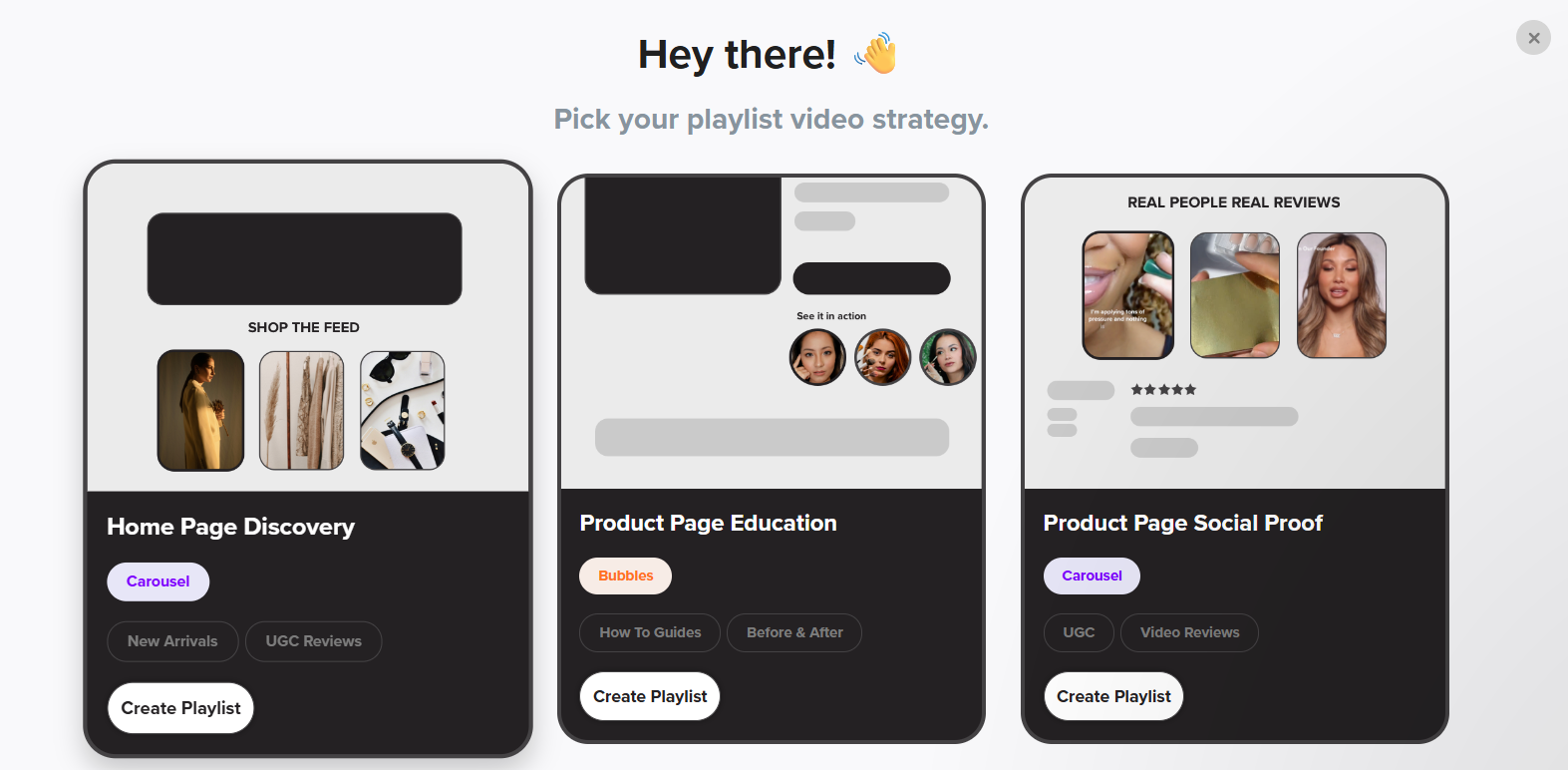
From the dropdown, select Product Page Education.
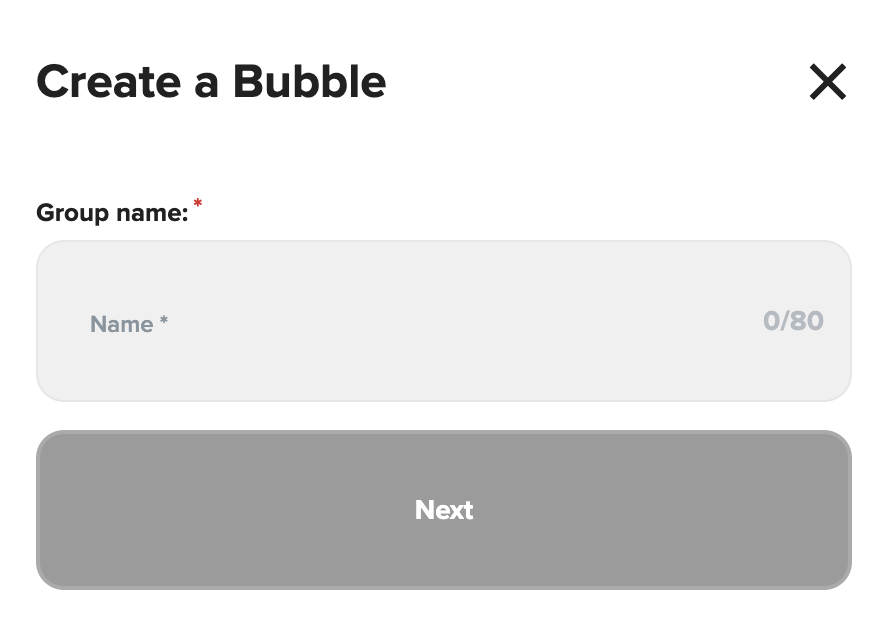
Name Your Bubbles
Enter a name for your Bubble playlist.
Click Next.
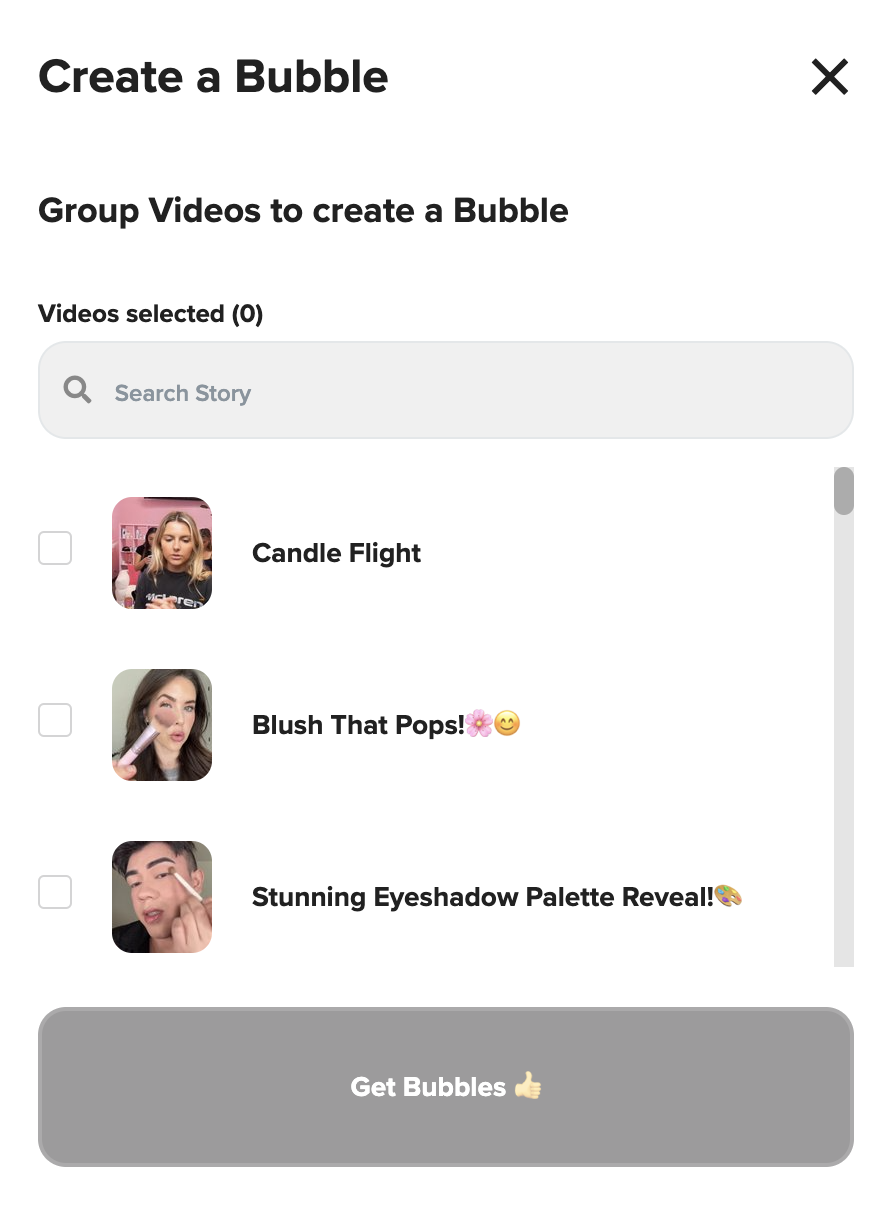
Add Your Videos
Scroll through your video library or use the search bar to find videos.
Select the ones you want to include in your Bubbles.
Click Get Bubbles to continue.
Videos Tab
When creating or editing Bubbles, you'll land on the Videos tab first.
From here, you can:
Drag and drop to rearrange video order
Add or remove videos
Edit any video details
Be sure to click Publish Bubble to save any changes!
Design Tab
Customize how your Bubbles look and feel in the Design tab.
You can adjust:
Show/Hide Section Title
Bubble Size
Spacing Between Bubbles
Bubble Border (toggle on/off)
Border Color (only active if border is on)
Border Size (enter value 0–99)
|| Quick Tip: Most sellers use a border size of 10 or less for a subtle look.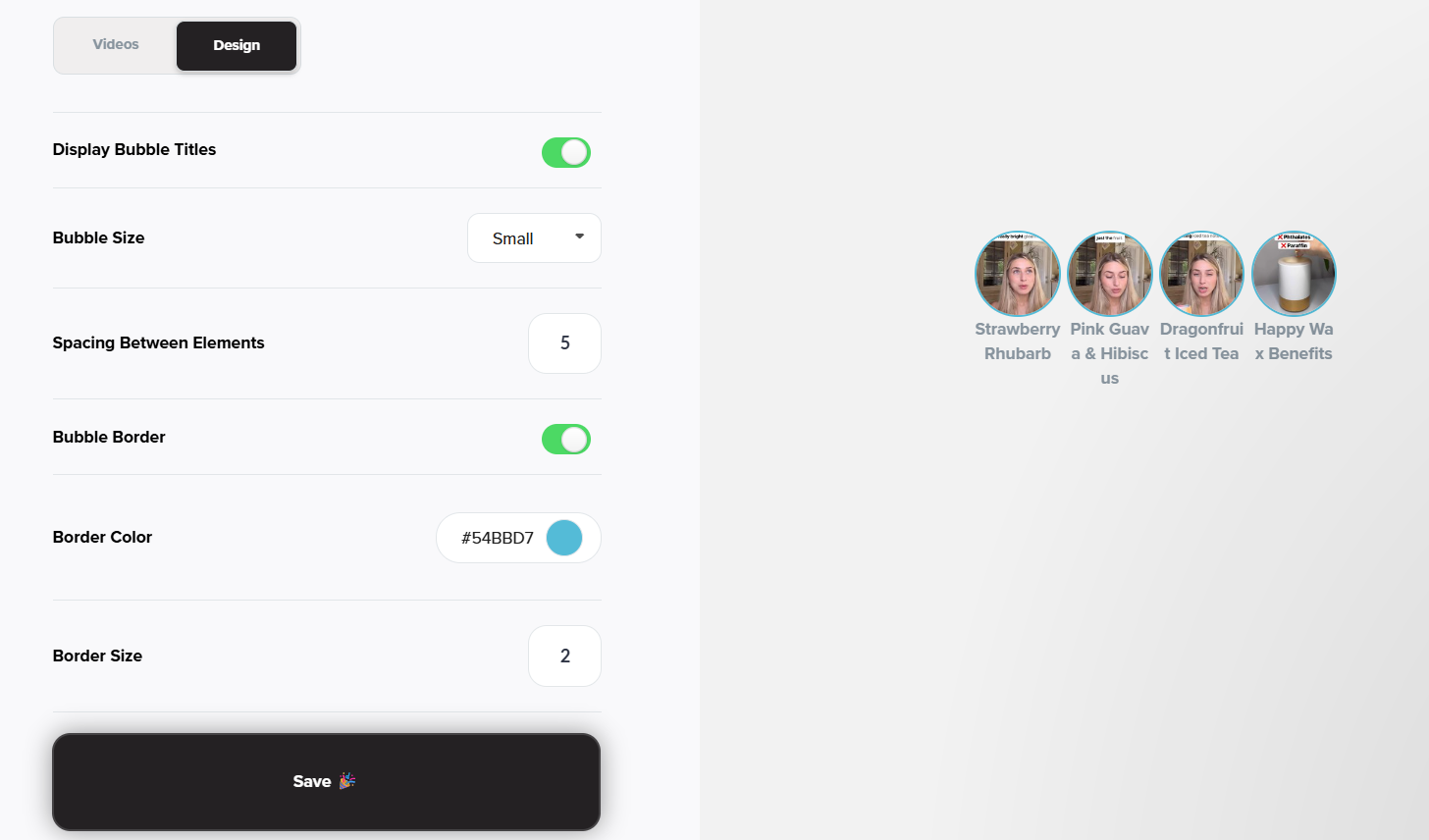
Final Step: Publish
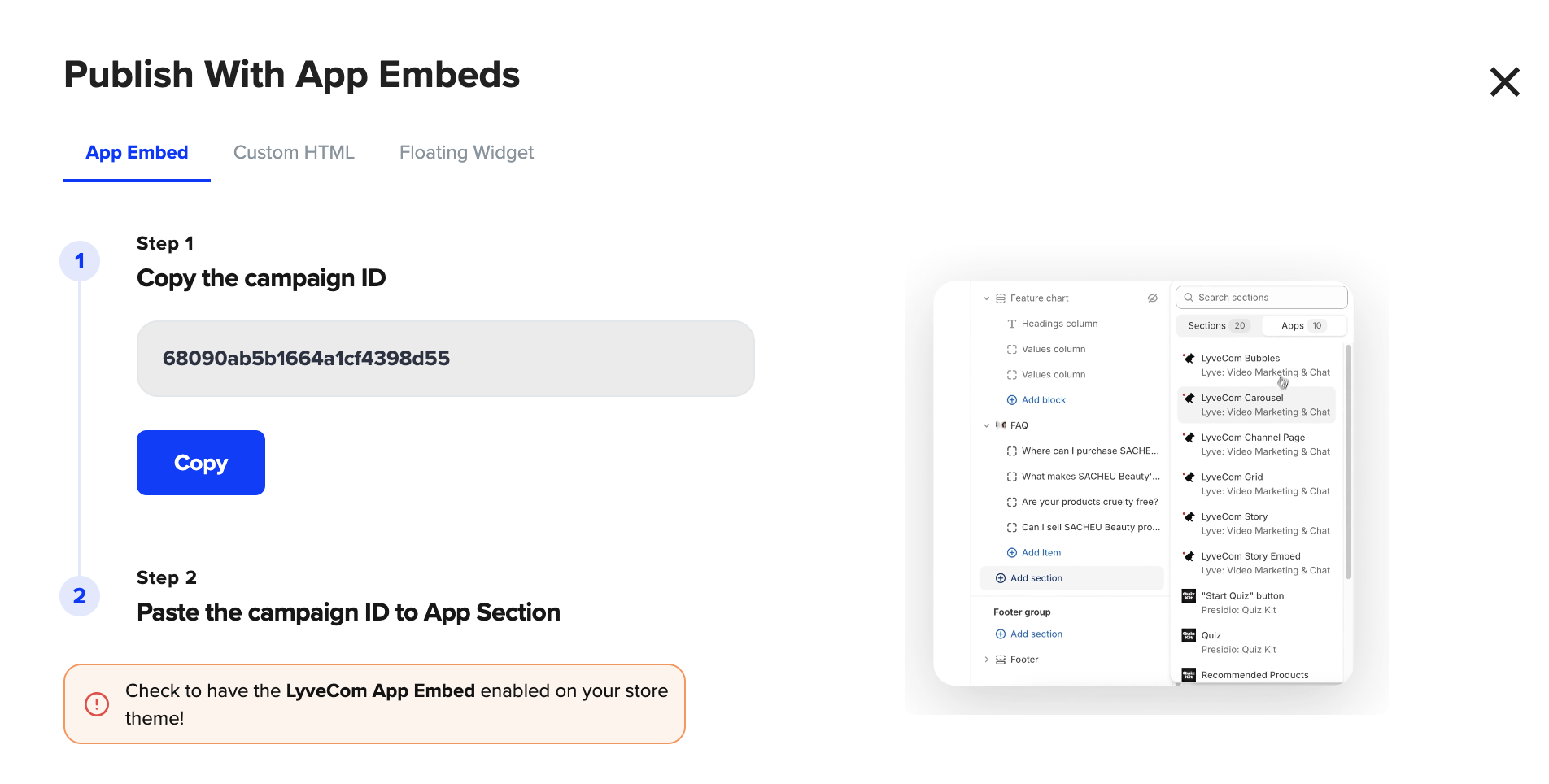
Once you’ve finished editing both the Videos and Design tabs, hit Publish Bubble to save and generate your embed code.

Have more questions? Reach out to our support team - we’re happy to help!
Happy selling! ✨